GoHighLevel’s standard trial is only 14 days, giving you precious little time to learn the platform.
Using the extended 30-day trial and the two trial extensions, you get 58 days in total. By the end, you’ll be using GoHighLevel like a pro!
Key Takeaways:
- The 30-day trial is for the Pro plan, which usually costs $497/month
- Extend the trial twice, each extension adds another 14 days
- After the trial, leave it, cancel, downgrade, or switch to annual billing
What Does the GoHighLevel 30-Day Free Trial Include?
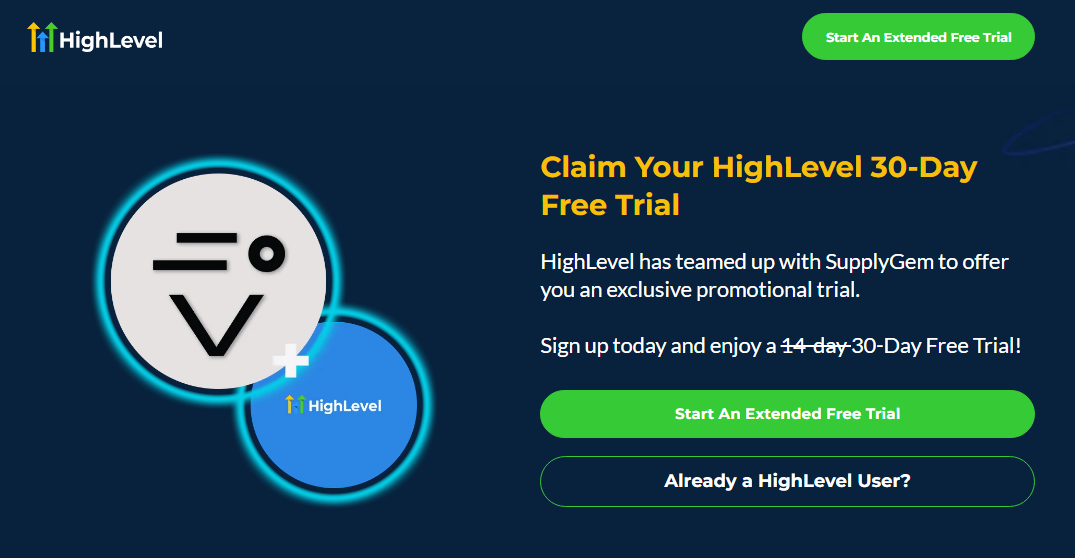
The GoHighLevel 30-day trial gives you access to its highest-tier offering: the Pro plan.
This usually costs $497 per month, so it’s a really significant saving.
This plan isn’t actually available directly from the GoHighLevel website. It can usually only be found by subscribing to the Starter or Unlimited plan and then upgrading from within your account.
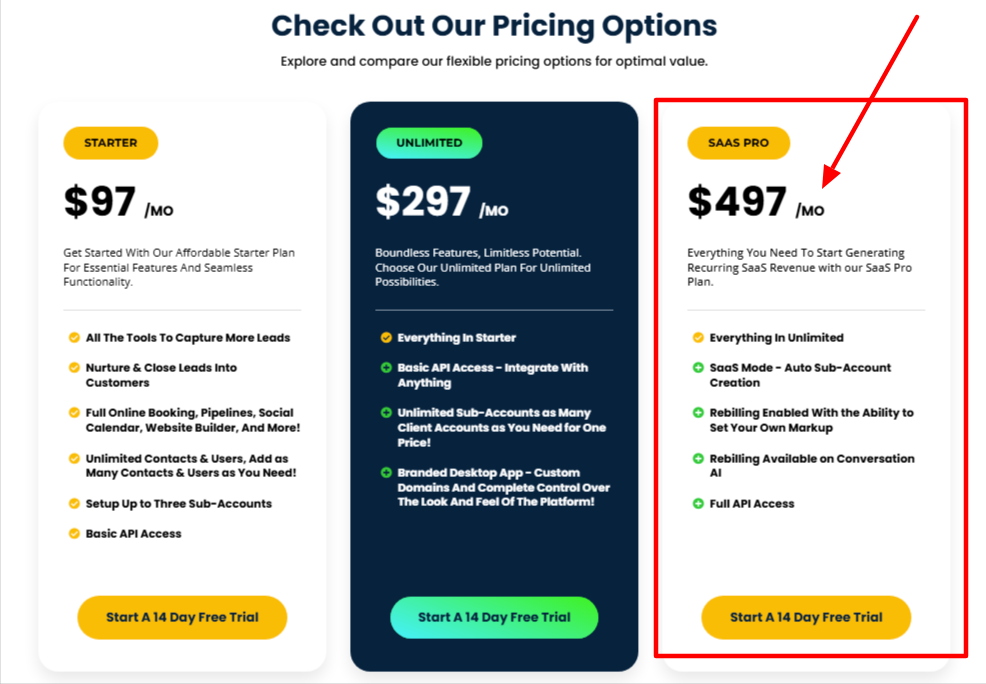
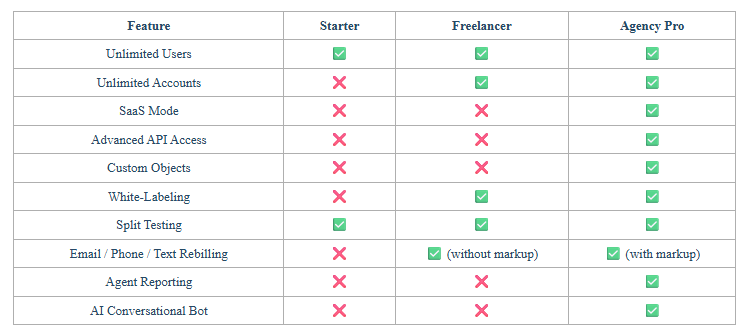
It includes everything in the Unlimited plan (unlimited features and sub-accounts, API access, and branded desktop app), plus some really exciting tools that can seriously take your business to new heights:
- SaaS Mode: This enables you to brand the entire GoHighLevel platform and sell it as SaaS. You get to choose which features to include and set your own pricing. You can sell it as SaaS an unlimited number of times.
- Rebilling: Sell services like WhatsApp, WordPress hosting, phone, SMS, and conversation AI, and add your own markup to gain a bigger profit margin.
- Advanced API: For custom integrations with other platforms.
- AI Conversational Bot: Create and sell custom AI chatbots to your customers.
Now, do beginners really need all these features? Probably not.
However, this free trial is the best way to get to grips with the platform without having to lay out a wad of cash upfront.
Besides, if you decide to keep GoHighLevel after trialling it, you can always downgrade your plan if you don’t need the Pro plan features.
How Does the Free Trial Extension Work?
I’ll start by saying that GoHighLevel does not have a money-back guarantee. As in, if you pay for a subscription, you can’t get a refund, even if you decide you don’t want to use the platform after all.
At first, this seems rather stingy, as most similar platforms offer a 30-day money-back guarantee.
However, since you can extend the free trial, not once, but twice, this gives you plenty of time to decide whether or not you like the platform without having to pay a cent.
In all, you can use GoHighLevel for free for a grand total of 58 days.
In my experience, two months is sufficient time to make up your mind about a platform.
Can Existing GoHighLevel Users Get a Free Pro Plan Trial?
Absolutely!
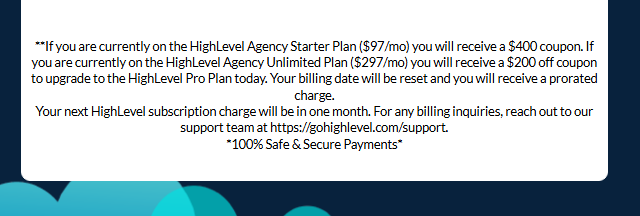
The free trial link also includes an option for existing users of the Starter or Unlimited plans to upgrade and trial the Pro plan for 30 days, without paying more for their subscription.
Essentially, it works by applying a credit to a user’s subscription fee:
| Plan | Subscription cost | Credit applied |
|---|---|---|
| Starter | $97/month | $400 |
| Unlimited | $297/month | $200 |
As you can see, the credit covers the increased cost of the Pro plan. Once the 30 days expire, you can drop back down to your original plan or remain on the Pro plan and begin paying $497 per month.
If you decide to stay on the Pro plan, your existing subscription will be prorated until the next pay period.
How to Sign Up for the GoHighLevel Free Trial
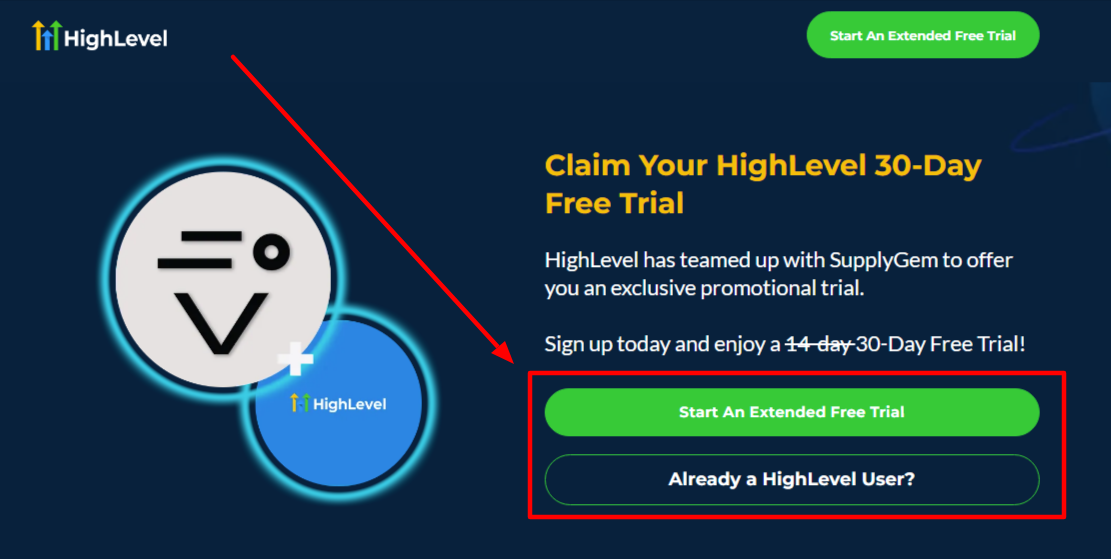
Both new and existing users can head to this page to access the 30-day trial or the Pro plan credit for existing users.
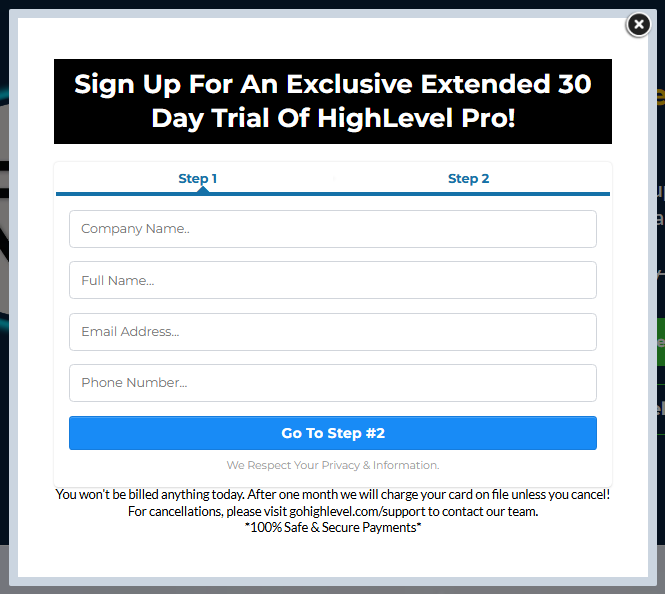
New users need to complete the two-step registration form. You will have to enter your credit card details, but don’t worry, you won’t be charged until the free trial ends.
That’s it! Once you’ve signed up, you’ll gain access to the platform, and you’ll be able to use it exactly as a paying user would.
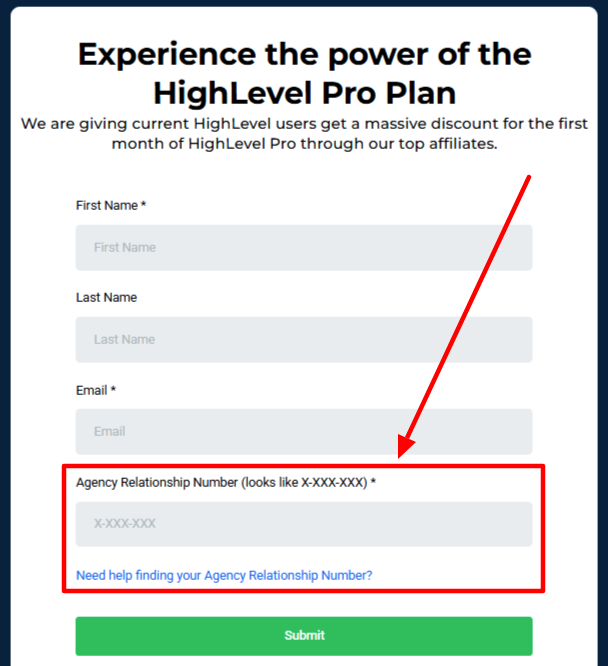
Existing users must complete a different form. Instead of adding payment details, you input your agency relationship number.
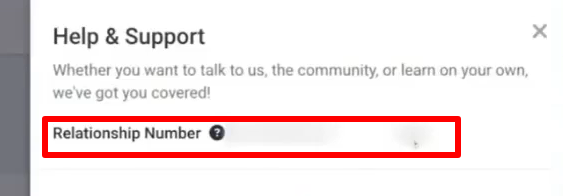
There are two ways to grab your relationship number:
- Click the question mark icon in the top-right of the screen, and you’ll see the number displayed at the top.
- Make sure you’re in the Agency View of your account, then click Settings > Company. You’ll see your relationship number written at the top of the screen.
After you have submitted the form, your account will update and give you access to the Pro plan features.
How to Extend the GoHighLevel Free Trial
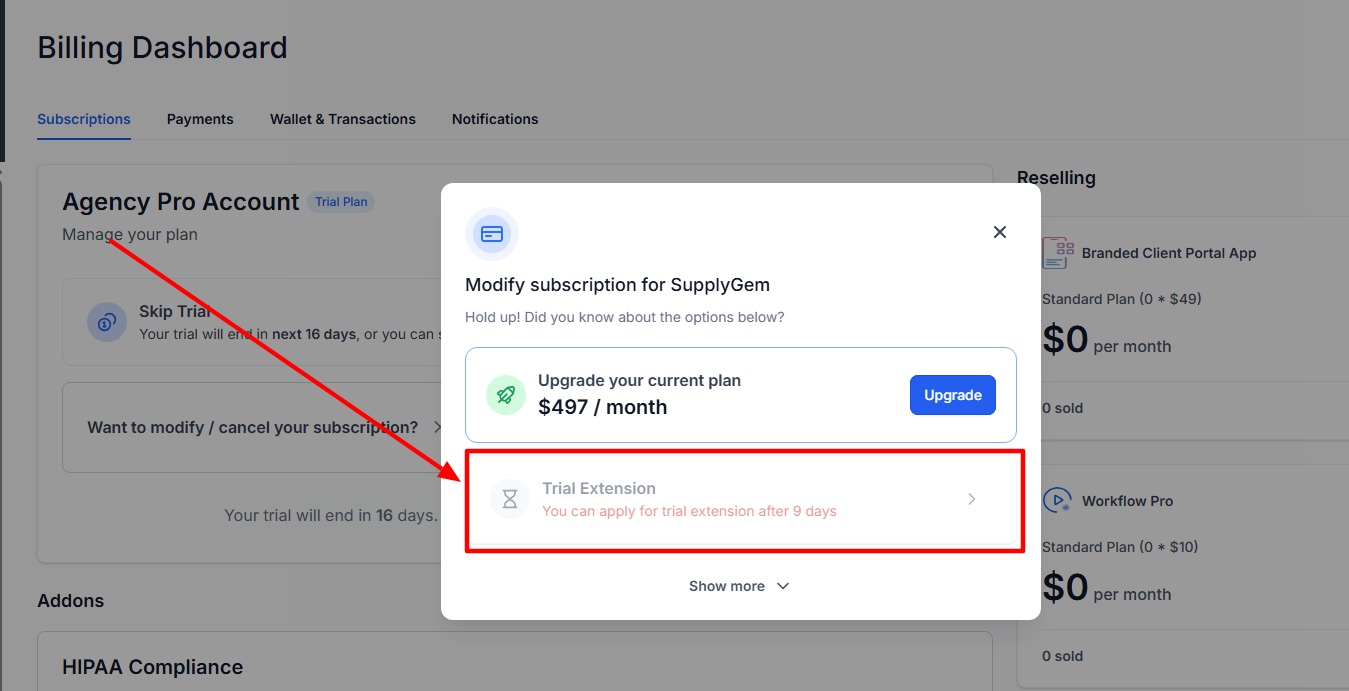
Here’s what you need to do to extend the GoHighLevel free trial:
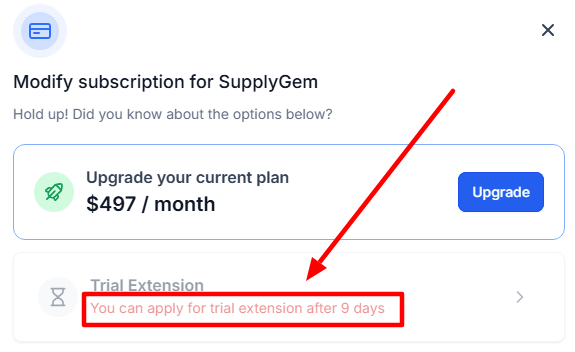
- Wait until there are seven days or less remaining on the initial 30-day free trial.
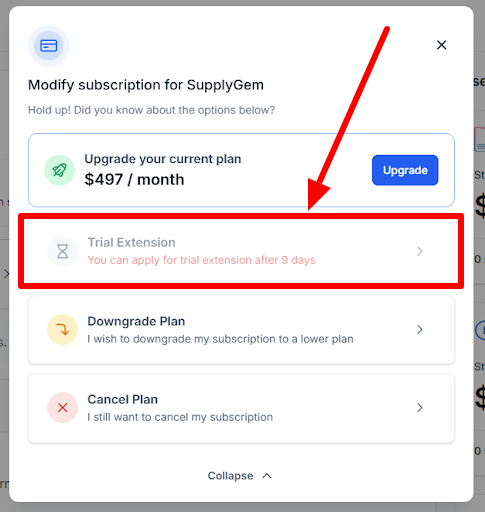
- Head to Settings > Billing > Want to modify/cancel your subscription?
- Choose the Trial Expansion option, and follow the instructions to activate an additional 14 days.
- Carry on using GoHighLevel. When there are seven days or less remaining on the first trial extension, follow the same process to activate a second 14-day trial period.
What Happens After the Free Trial Ends?
If you take no action and just let the free trial period expire, you’ll be charged $497 for your first month of paid Pro plan access.
Your subscription will continue like this until you either cancel or downgrade it.
4 Actions to Take During the Free Trial
1. Leave It
As mentioned above, if you don’t take any action during the free trial, you’ll simply move on to become a paid Pro plan subscriber.
I only recommend doing this if you are actively using the features included with the Pro plan.
Otherwise, if you’re not using anything the Pro plan offers, there’s no point paying the $497 per month fee.
2. Cancel It

If you didn’t use GoHighLevel much during the free trial or decide it’s not the platform for you, it’s best to just cancel it altogether.
Do this by heading to Settings > Billing > Want to modify/cancel your subscription? And select to cancel it.
3. Downgrade Your Plan
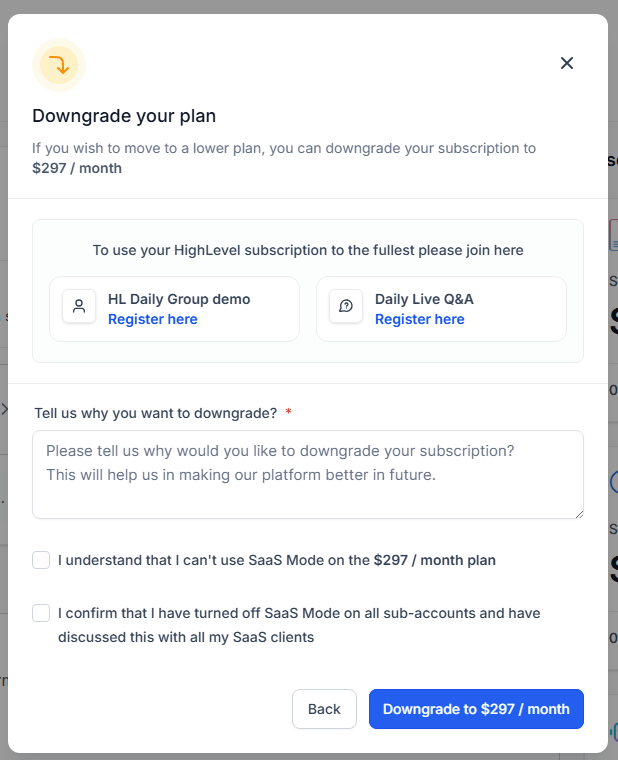
If you want to keep using GoHighLevel but don’t need the Pro plan’s features, it makes sense to downgrade your plan to the Starter or Unlimited options.
Doing so will save you a ton of money, plus you can always upgrade in the future if you need to.
Which plan to pick, though?
It all comes down to the number of clients you have and, therefore, the number of sub-accounts you need:
- Starter plan: $97/month, up to three sub-accounts
- Unlimited plan: $297/month, unlimited sub accounts
To downgrade your plan, head to Settings > Billing > Want to modify/cancel your subscription? Select the Downgrade option, then choose the plan you want and pay.
Your account will update to reflect the plan changes, and Pro plan features will no longer be available.
4. Switch from Monthly to Annual Billing
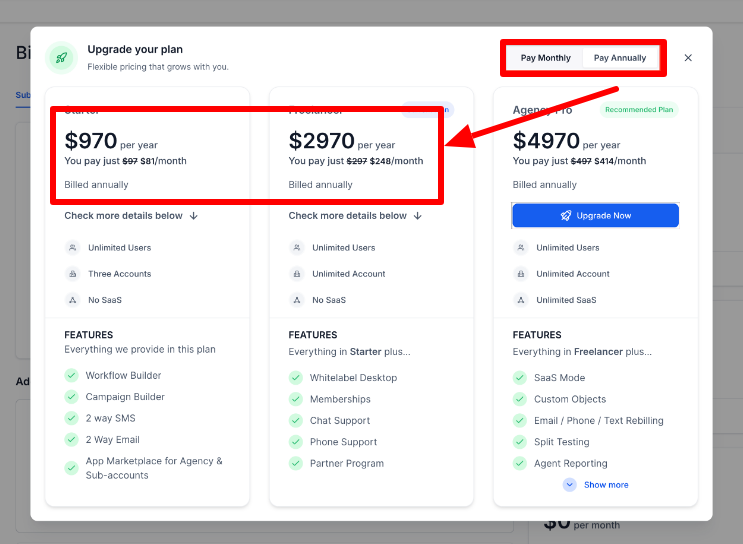
The free trial link signs you up for a monthly paid Pro plan subscription. However, you actually save a lot of money if you’re willing to pay annually.
It’s equivalent to two months’ worth of free service (around 16%). So, it’s worthwhile to consider if you have the upfront funds available.
This goes for any plan, by the way, so if you downgrade to Starter or Unlimited, opting for an annual payment will be cheaper.
| Plan | Monthly cost | Monthly cost paid annually | Total annual cost |
|---|---|---|---|
| Starter | $97 | $81 | $970 |
| Unlimited | $297 | $248 | $2,970 |
| Pro | $497 | $414 | $4,970 |
To do this, select the Want to modify/cancel your subscription? And select the Upgrade option. Alternatively, contact GoHighLevel customer services, who can change it for you.
Frequently Asked Questions
GoHighLevel Charged Me. Can I Get a Refund?
GoHighLevel does not issue refunds and does not have a money-back guarantee. Therefore, you will not get your money back if you forget to cancel your free trial and are subsequently charged.
Can I Get a 30-Day Free Trial for the GoHighLevel Starter or Unlimited Plans?
No, a 30-day free trial is not available for the GoHighLevel Starter or Unlimited plans. Instead, sign up for the 30-day Pro plan trial and downgrade to Starter or Unlimited when the free trial is about to expire.