When GoHighLevel first launched, it was only available in English. Now, it has expanded its language options to be more accessible for non-English speakers.
However, it’s far from perfect, so you may have to use a workaround to get a proper translation.
Key Takeaways:
- The GoHighLevel platform can be translated into 11 languages
- Some areas of the platform, like automations, do not translate
- Using the Google Translate browser extension is more reliable
Does GoHighLevel Support Multiple Languages?
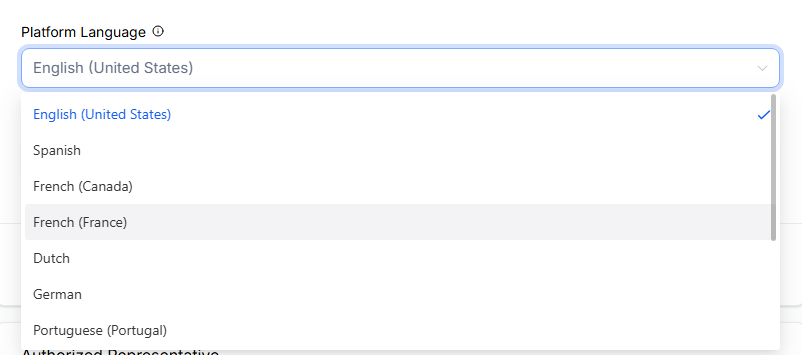
It sure does!
While its selection of languages isn’t huge, the platform has been expanding the number of areas with multi-language support.
Besides English, here is the most current list of other languages:
- Spanish
- German
- French (France and Canada)
- Portuguese (Portugal and Brazil)
- Italian
- Dutch
- Swedish
- Danish
- Finnish
- Norwegian
It’s Definitely Not Perfect Though…

Despite this availability, don’t expect every aspect of the platform to appear in the new language. There are still gaps.
For example, the sub-account launchpad (basically a setup guide) is mostly displayed in English, with only a few parts translated.

The most glaringly obvious area that lacks translation is the automation/workflows feature.
This feature appears fully in English, which is pretty annoying since it’s one of the most complex tools on the platform.

Other bits and pieces will also display in English. Like, bizarrely, the domain purchase section of Agency Settings is in English, while everything else has been translated.
Essentially, this shows that although GoHighLevel has been working hard to roll out internationalization, it’s not fully there yet. Therefore, your users still need to understand a modicum of English to use certain features.

The translations aren’t always reliable, either. For example, I noticed a French mistake in the Reputation tool. It says “Hier Janette,” but hier means “yesterday” in French. It should actually say “Salut,” which means “hi!”
Thankfully, there is a way to report these errors, but this can get tiresome if you keep finding them. I’ve detailed how to report errors at the end of this article.
GoHighLevel Multiple Language Options
What exactly is available in the language you select?
Agency and Sub-Account Languages

Except for what I mentioned above, most of the sub-account features fully translate into the new language.
That means you can view specific features in other languages, as well as most sub-account settings and setup instructions.

The same goes for the agency account. Likewise, most features and settings are viewable in your chosen language.
Client Portal Languages

Also, if you set up other users for the sub-account, whether they’re clients or support staff, the platform will display in whichever language you have chosen.
Thankfully, individual users can choose their preferred language, which I have outlined in the setup guide below.
Voice AI Languages

It’s now possible to create AI voice agents in different languages.
This one is separate from the main platform language. So, if you have the GoHighLevel in English, you can still set up AI agents in multiple languages.
For example, if you have English, French, and Spanish-speaking customers, you can set up an agent for each language.
The list is smaller than the main platform languages, though. Currently, the feature supports:
- English
- Brazilian Portuguese
- Spanish
- French
- German
- Italian
- Dutch
To create a new agent, head to AI Agents > Create Agent and select the desired language.
Multi-Language AI Content Generation

Similarly, GoHighLevel’s AI content generator can create content in your preferred language.
You get more language options than you do for AI agents:
- English (US and UK)
- Spanish
- Danish
- German
- Finnish
- French (Canada and France)
- Italian
- Dutch
- Norwegian
- Portuguese (Brazil and Portugal)
- Swedish
Multilingual Prospect Report Sharing

The GoHighLevel prospecting tool identifies potential leads within a highly localized area and produces reports you can share with your clients.
However, if you’re searching in a non-English country, it doesn’t make sense for those reports to be written in English.
Thankfully, you can change the report language to reflect the area you’re searching in.
Once you have generated the report, click Share Report and select the language you need.
Current supported languages are:
- English
- Spanish
- Danish
- German
- Finnish
- French (Canada and France)
- Italian
- Dutch
- Norwegian
- Portuguese (Brazil and Portugal)
- Swedish
GoHighLevel Still Lacks a Webpage Translator
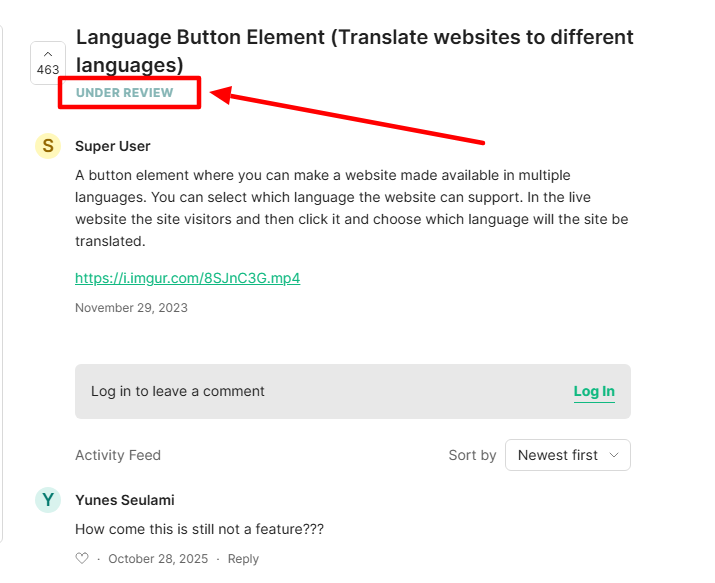
Unfortunately, another area where GoHighLevel falls short is that it does not offer a way to provide websites and pages in multiple languages.

Many sites, like Shopify, are created in English but also offer the option to translate them into other languages.
There’s no app or widget in GoHighLevel to do this.
Users have requested it as far back as 2023, and the suggestion has been “under review” ever since. Maybe it’ll become available at some point, maybe not.
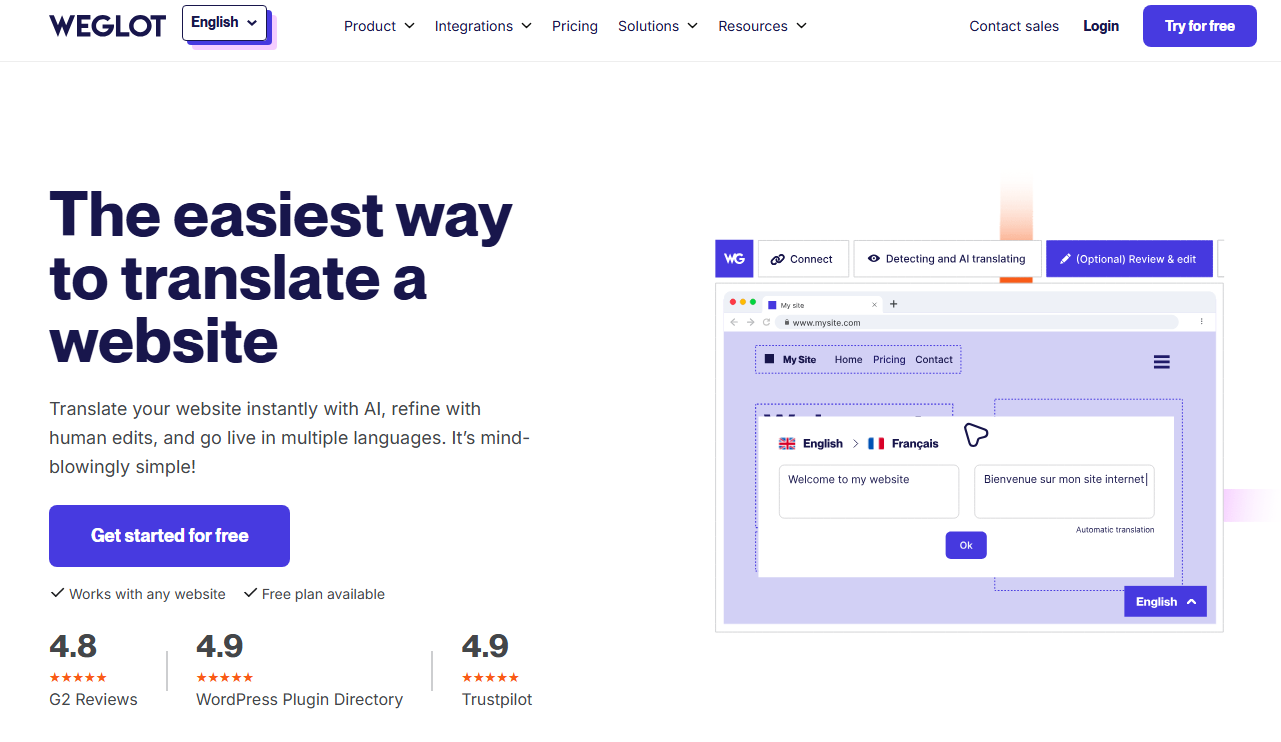
Until then, you’ll need a third-party website translator, like WeGlot.
How to Change a GoHighLevel Sub-Account Language (Quick Guide)

Switching the language of a sub-account is super easy.
All you do is head to Settings, select Business Profile > Platform Language, and choose the language you want. Then click Update to confirm.

What’s also really useful is that each user you set up within a GoHighLevel sub-account can select their preferred language.
So, every time they log in, the platform will be displayed in whichever language they have chosen, even if it’s different from the language the main account holder or other users have selected.
All a user has to do is log in to their account and select Settings > My Profile > Platform Language.
After selecting a new language, they must click Update Profile to confirm the change.
What Can You Do if GoHighLevel Does Not Support Your Language?
Use a Browser-Based Translator

The Google Translate browser extension lets you switch GoHighLevel to any language you want. Other browsers have their own extensions that do the same job.

It works well for the GoHighLevel platform, even translating areas that GoHighLevel missed.

Even better is that you’re not restricted to a handful of languages, and you can translate into languages that don’t use the Latin alphabet (like Arabic, Hebrew, Mandarin, etc.).
If I’m truly honest, I think this works better than GoHighLevel’s translation efforts. Plus, it’s a free service and simple to use.
Manually Set Up Multilingual Assets

To get around GoHighLevel’s lack of a web page translator, you could always set up duplicate pages or even whole sites in different languages and then add a button that lets visitors click through.
With ChatGPT’s translation capabilities, this is no longer a really labor-intensive task, though it does add to the workload somewhat.
It might not be practical for content-heavy sites, but for sales funnels, landing pages, etc., it’s a good solution.
Request It in the GoHighLevel Ideas Hub

GoHighLevel has an ideas hub where existing users can make requests for features and updates. You’re free to request an additional language here, and the GoHighLevel team will review it. It’s even likely that someone will have already requested the language you want.
However, don’t hold your breath. Many users have already asked for other languages, and so far, none of them are planned for implementation.
Still, it’s worth a try. If there’s enough demand, it may come to fruition.
Ask the GoHighLevel Facebook Community for Advice

The HighLevel – Official Community Facebook group has over 100k members and is a great place to gain solid advice.
If you’re having trouble with languages, ask your question, and you’ll get plenty of responses. Sometimes, even the site admins or GoHighLevel staff pitch in and help.
They often come up with workarounds or hacks you can use to get around the language limitations.
Reporting a GoHighLevel Translation Error

If you spot a translation error in GoHighLevel, click the purple translation icon in the top-right of your screen. (Note: This icon is not available if you have the site set to English.)

Complete the report in the sidebar, then click to send it. GoHighLevel will review and make necessary corrections.
Frequently Asked Questions
Will GoHighLevel Add More Languages to Its Platform?
It’s unclear whether GoHighLevel will add more languages to its platform. While the number of languages has expanded over the past few years, there are currently no new languages under review or scheduled for release.