Clickfunnels offers new users an extended 30-day free trial, giving you plenty of time to explore the platform.
Key Takeaways:
- Trial the Scale plan and save $197
- Cancel the trial, upgrade, or downgrade your plan at any time
- ClickFunnels also offers a 30-day money-back guarantee
What’s Included in the ClickFunnels 30-Day Free Trial?
When you sign up for the ClickFunnels 30-day free trial, you get the Scale plan.
This is the platform’s mid-tier plan, giving you access to all features. The main difference between this plan and the others is the feature limits. However, if you’re just starting out on your business journey, they’re probably not much of a concern.
Here’s a quick overview of them:
- Unlimited funnels
- 5 workspaces and team members
- 75,000 contacts
- 300,000 emails per month
- Unlimited custom domains and site visitors
- 2 million AI words
The plan also includes group onboarding calls and priority customer support so you can get as much help as you need to get the ball rolling.
How Much Do You Save?
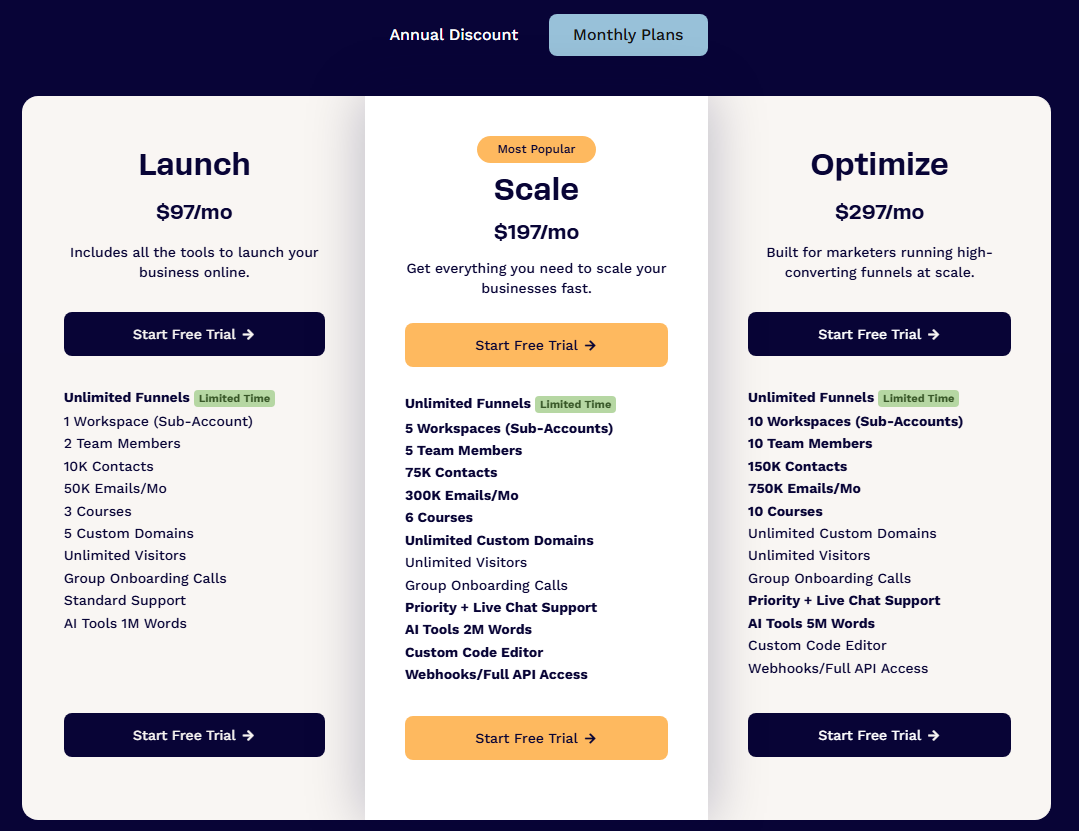
The Scale plan costs $197 per month or $164 per month if you opt to pay annually.
So, if you use it for free for 30 days, you’re saving almost $200.
Are There Any Restrictions?
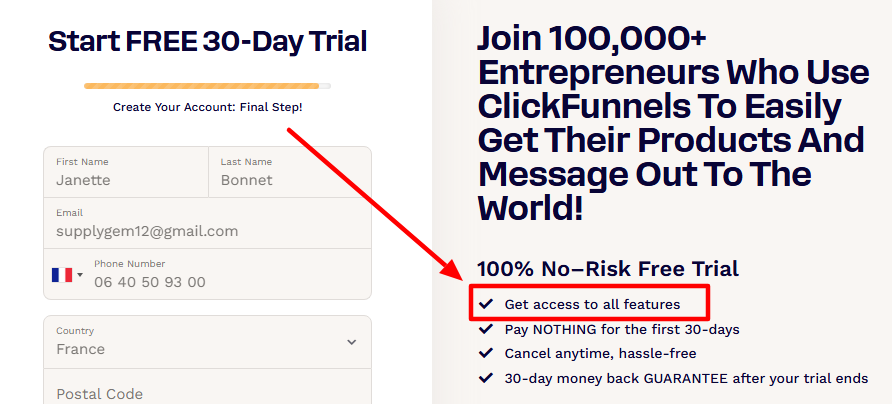
No! That’s the beauty of the free trial.
There are no restrictions on how you can use the platform while in the trial period, and you get access to everything a paying customer would, including making sales.
How to Get the ClickFunnels 30-Day Free Trial (Quick Guide)
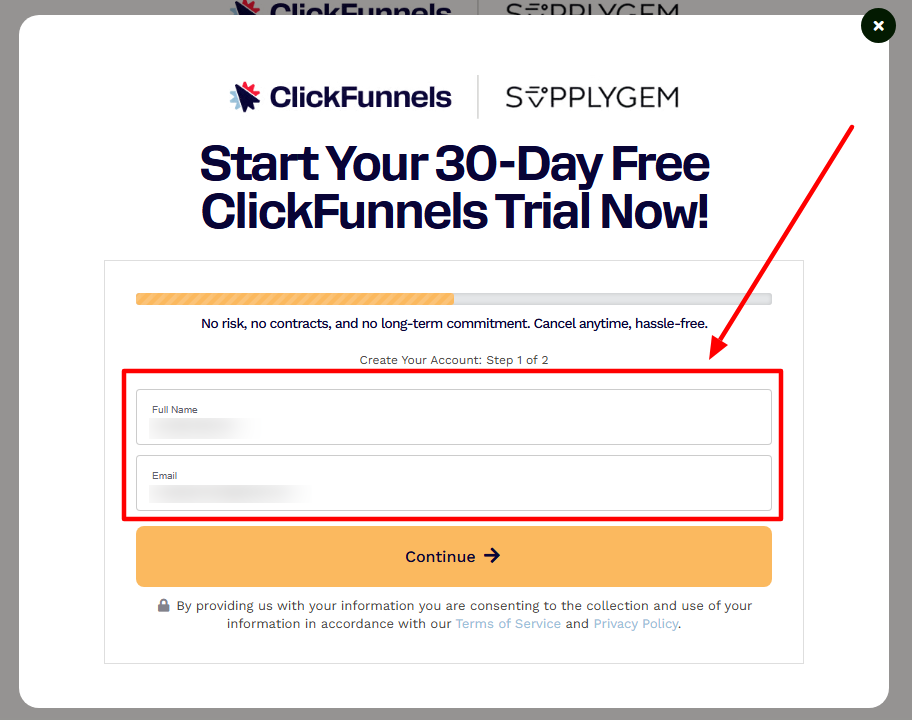
The ClickFunnels 30-day trial can only be accessed by visiting this page. If you go straight to the ClickFunnels website, you’ll only find a 14-day free trial there, so make sure you’re in the right place before you sign up.
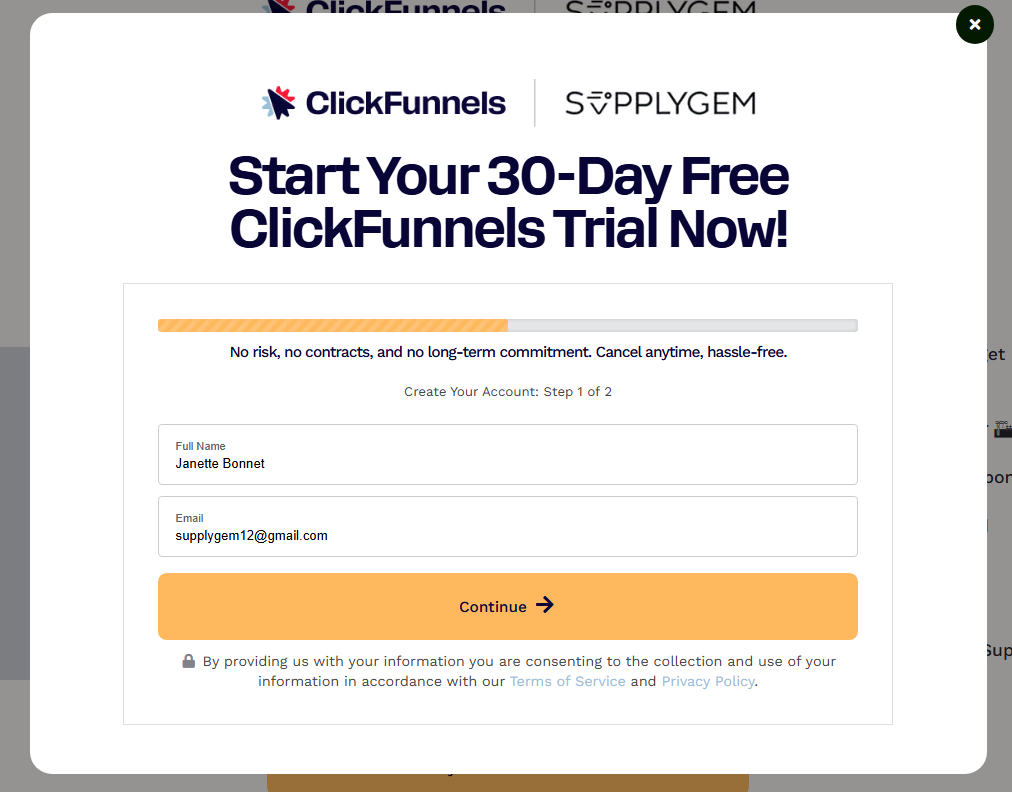
Add your name and email address, and then click through to the next screen.
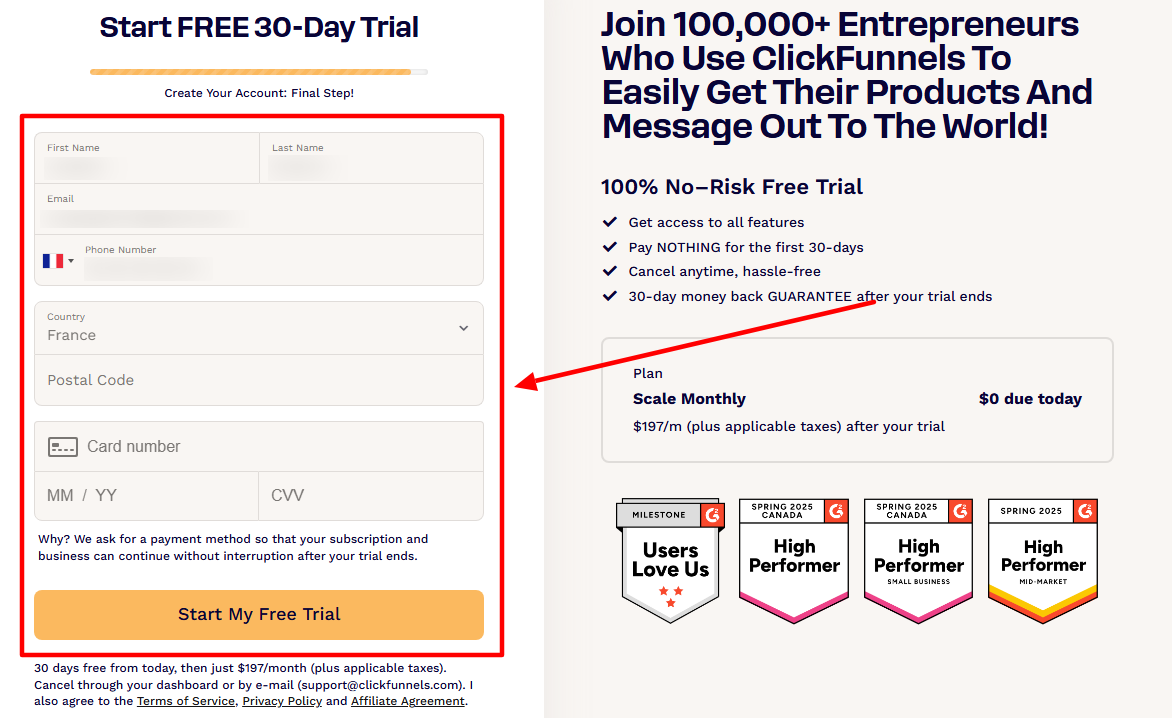
Complete the registration form, including your contact number and payment details. Don’t worry, they’re not going to take any money at this stage, but you do need to add a credit card to sign up.
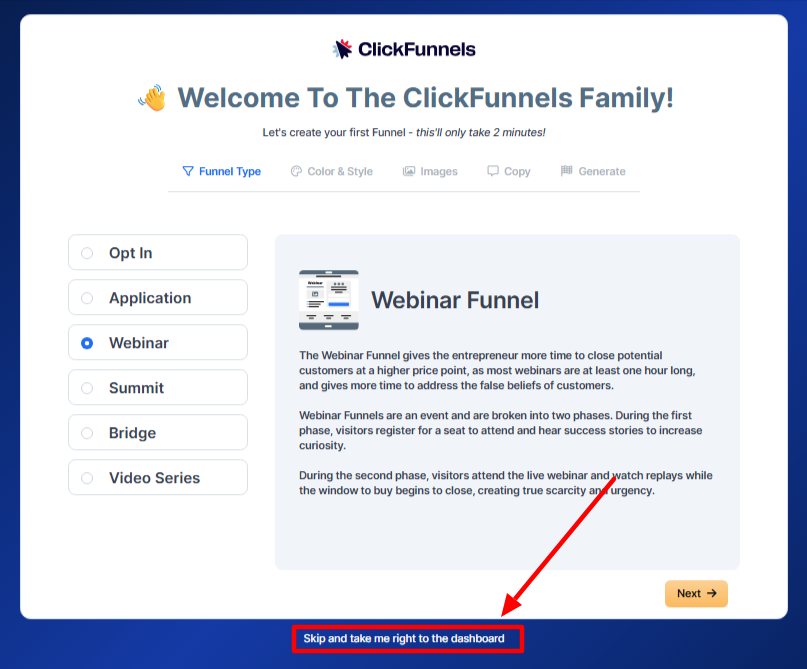
Once you’re signed up, you’ll be taken through a series of setup screens. If you’ve never used ClickFunnels before, it’s worth doing. But if you’d rather not, click the small text at the bottom to go straight to your dashboard.
What Happens After the Free Trial Expires?
If you take no action before the trial expiry date, you’ll simply transition to a paying customer. Your card will be charged $197, and you’ll continue paying that each month unless you decide to change your plan or cancel.
If you don’t want that to happen, though, there are some steps you can take.
4 Actions to Take During the ClickFunnels Free Trial
1. Cancel It
If at any point you feel that ClickFunnels isn’t quite doing it for you, you’re free to cancel the trial altogether.
Doing so will revoke your access to the platform and anything you’ve created within it.
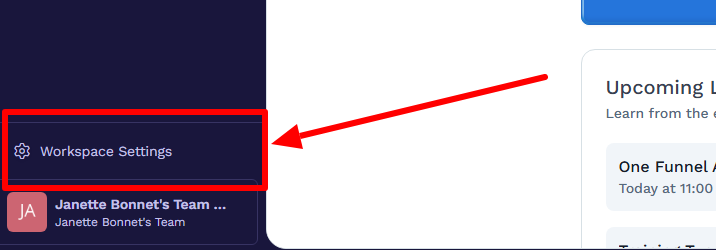
To cancel, click on your Workspace Settings.
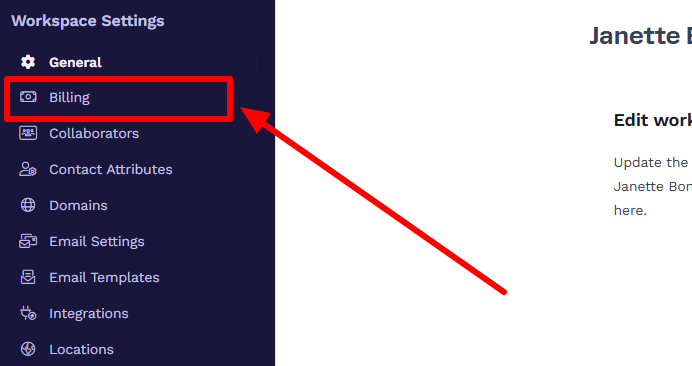
Then, select Billing.
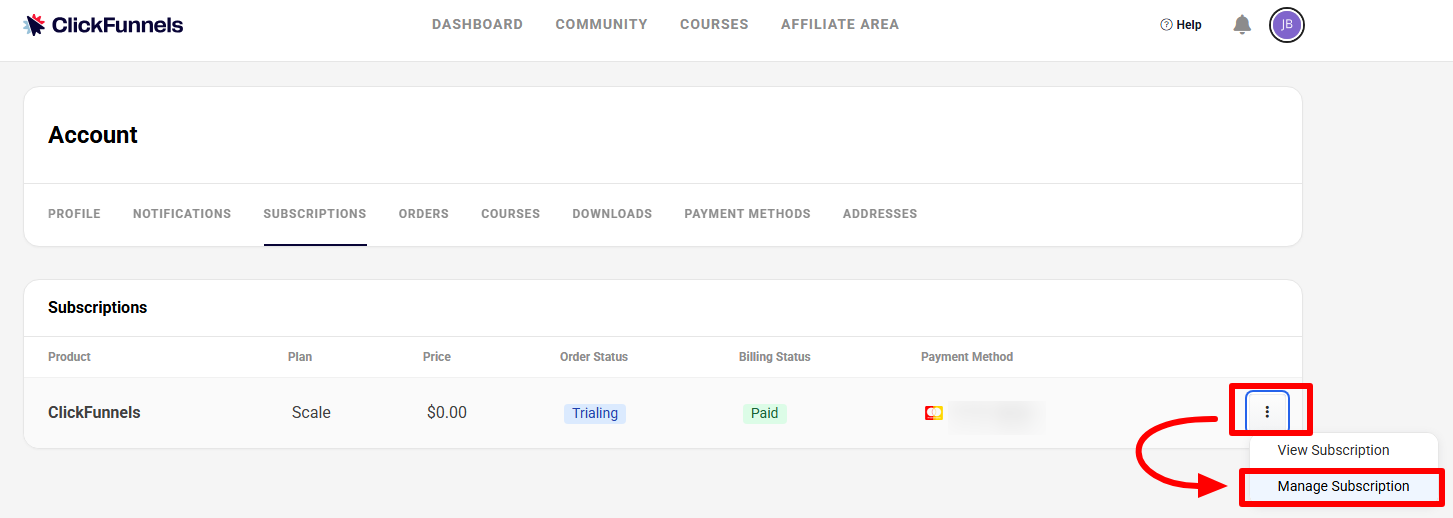
Next, click the three dots next to your subscription information and select Manage Subscription.
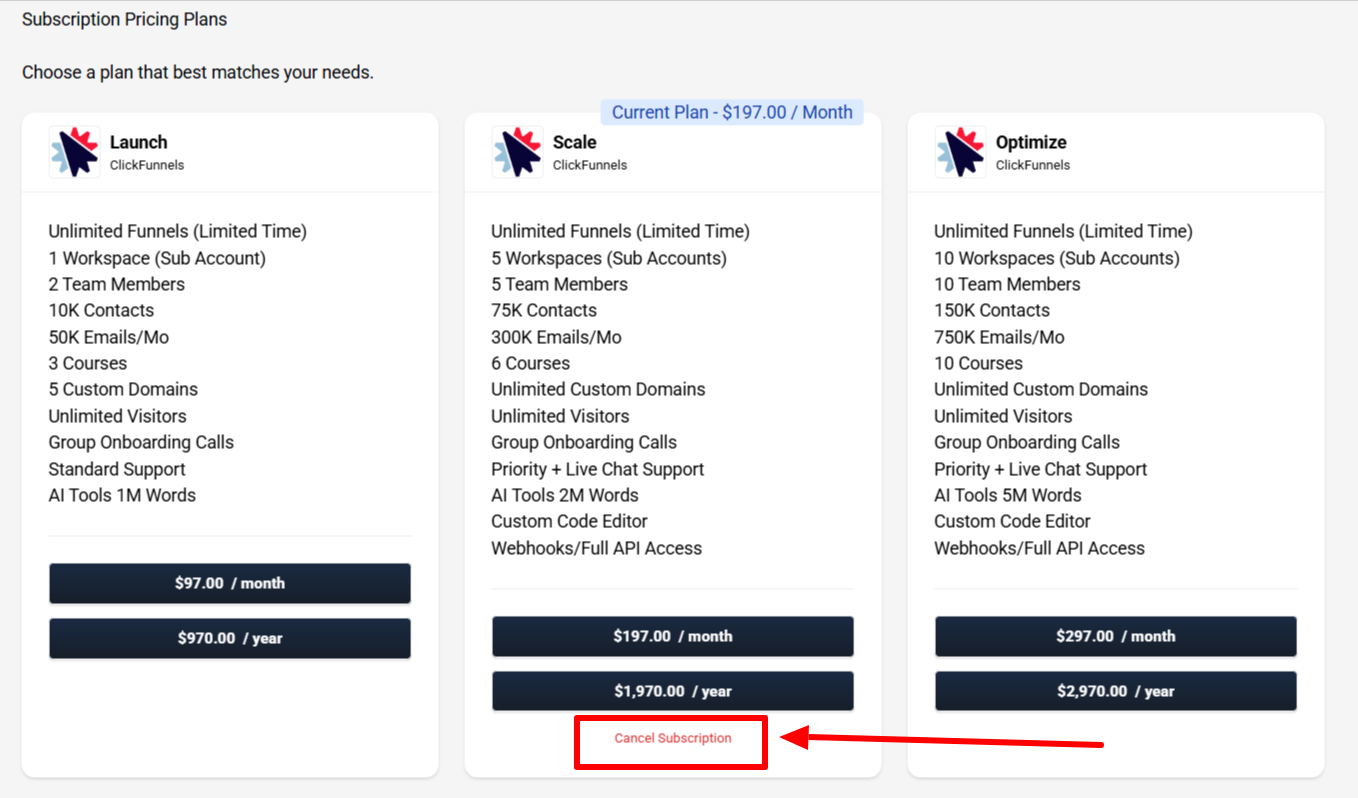
In tiny text beneath the Scale plan details, you will find the option to click Cancel Subscription.
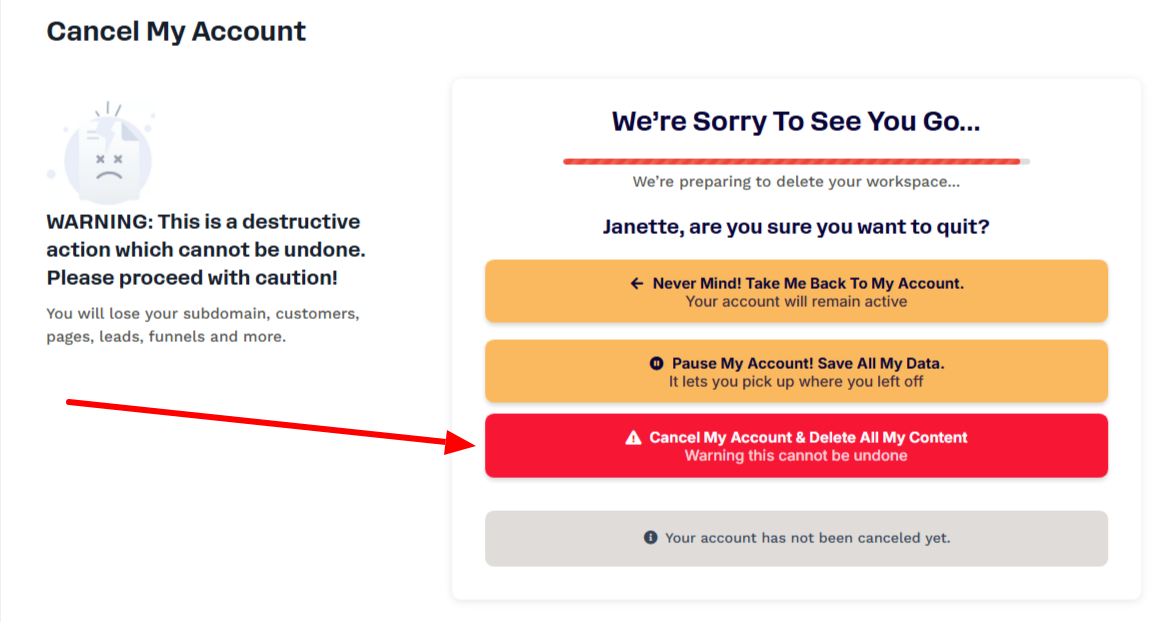
Then, follow the cancellation prompts (ClickFunnels will ask you about why you want to cancel) until you land on the final screen.
Once you click the final cancellation button, you’ll still have access to the platform, but your access will end as soon as the trial expires.
2. Check for a Deal
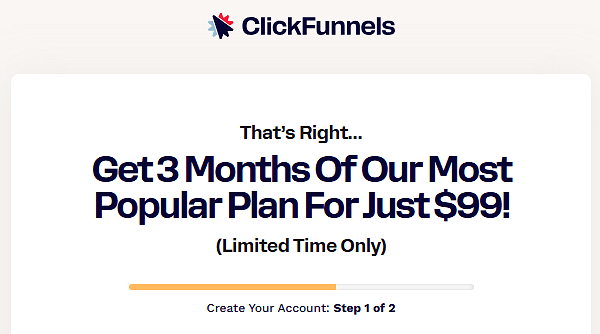
Occasionally, if you go to cancel, ClickFunnels will throw a deal in your path to try to convince you to stay. This can be worth it if you want to remain with the platform but have concerns about the cost.
For example, it previously offered three months of access for $99 through its One Funnel Away Challenge. However, this is no longer available.
Still, it’s worth checking with customer service and asking if there’s anything on offer.
3. Downgrade or Upgrade Your Plan
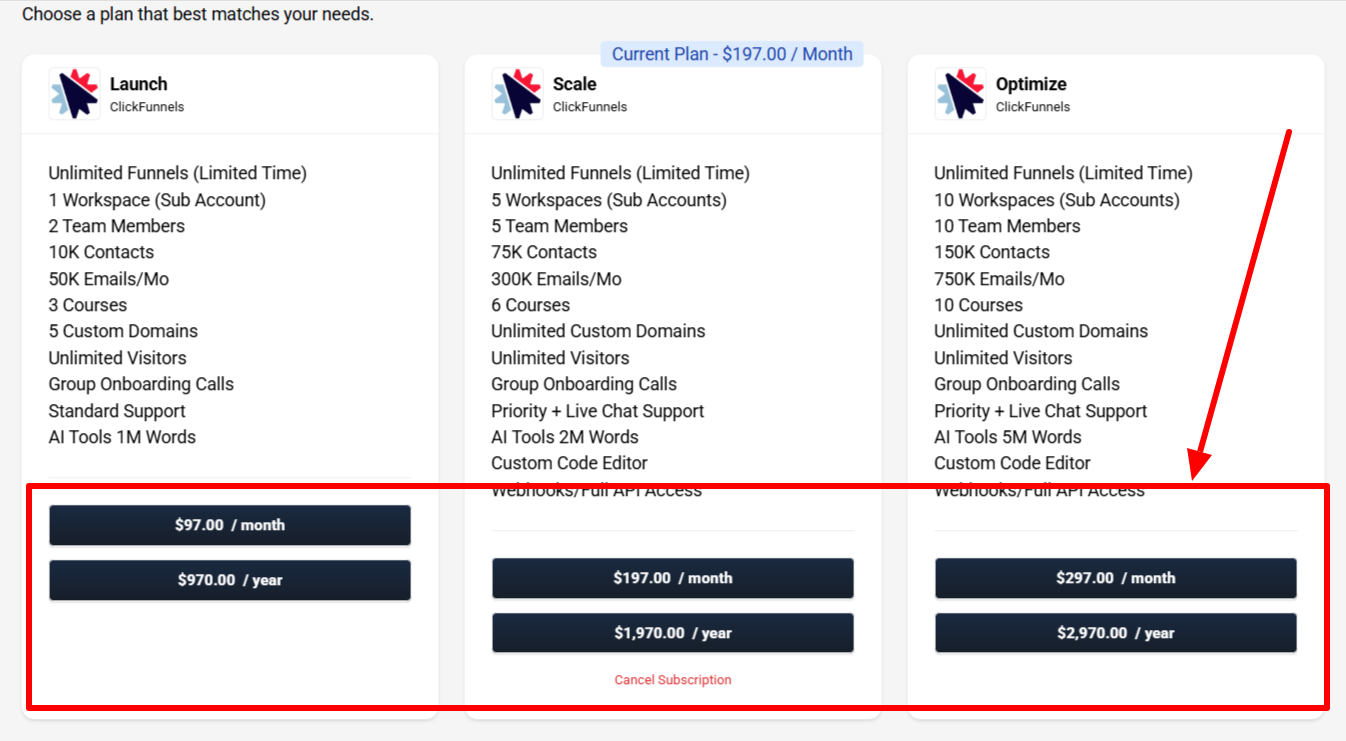
If you want to stay with ClickFunnels but feel the Scale plan isn’t quite working for you, you can either upgrade or downgrade to another plan or switch from monthly to annual billing.
Unlike most other platforms (which cancel your trial and charge you immediately), ClickFunnels lets you continue with your free trial, even if you change your plan.
So, you’re free to upgrade or downgrade without sacrificing any of your free 30 days.
To do this, follow the steps noted above in the cancellation section. When you get to the screen that allows you to pick a new plan, choose the appropriate option and confirm it.
When your trial ends, you’ll be charged the amount selected for your new plan.
4. Pause Your Account
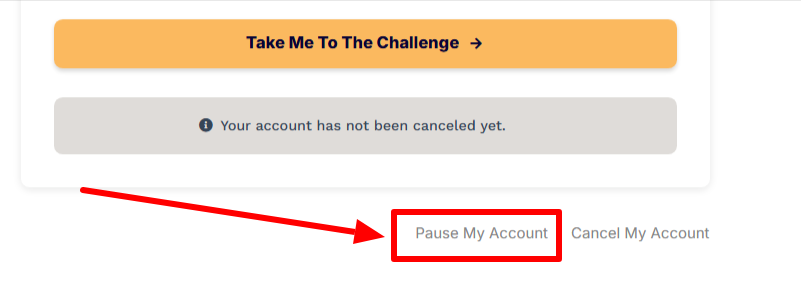
If you don’t want to fully cancel and lose all your assets, ClickFunnels allows you to pause your account.
This essentially retains your account as-is but prevents you from accessing anything until you reinstate it.
The cost to pause the account is $17 per month, and you’re free to do so at any time. However, pausing will only take effect after your current billing cycle ends. That means that if you pause during the free trial, your account will enter a paused status once the trial expires.
To find this option, follow the steps above to cancel your account. When going through the cancellation process, you’ll see it available.
ClickFunnels Free Trial Extension: What Can You Do?
Although there isn’t an official ClickFunnels free trial extension, there are a few workarounds you can try.
Ask Customer Service
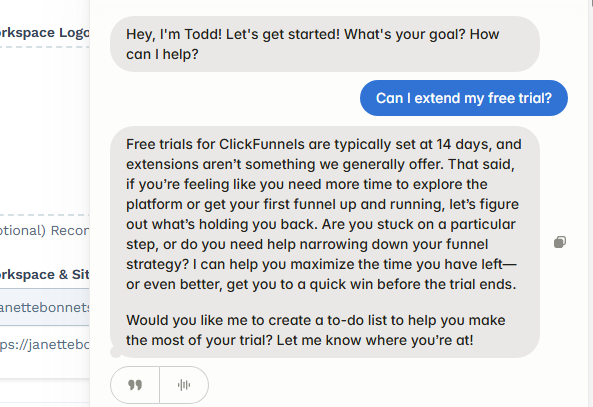
Your first port of call is to message customer service and plead your case for a free-trial extension (get through to a human—the chatbot can’t provide an extension).
If, say, you haven’t used the platform much and want more time, they may grant you an extension. On the other hand, they’re unlikely to extend the trial if you’re already using ClickFunnels to make sales.
In any case, there’s no harm in asking. Just keep your request polite and friendly. And don’t be disappointed if they refuse.
Use the 30-Day Money-Back Guarantee
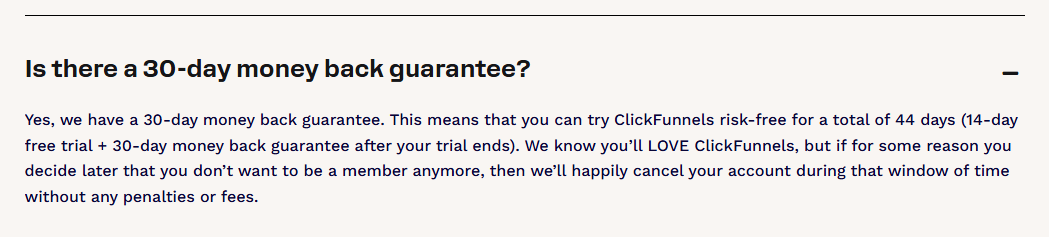
ClickFunnels makes it well-known on its website that it offers a 30-day money-back guarantee.
So, once your free trial ends, you will pay the subscription fee, but you can get a full refund if you request it within 30 days of paying.
In total, that gives you up to 60 days of free use, which is plenty of time to decide whether you like the platform.
Once you exercise the money-back guarantee, you’ll lose access to the platform and your data. So, use this option only if you don’t plan to use ClickFunnels long-term.
Sign Up for a New Free Trial
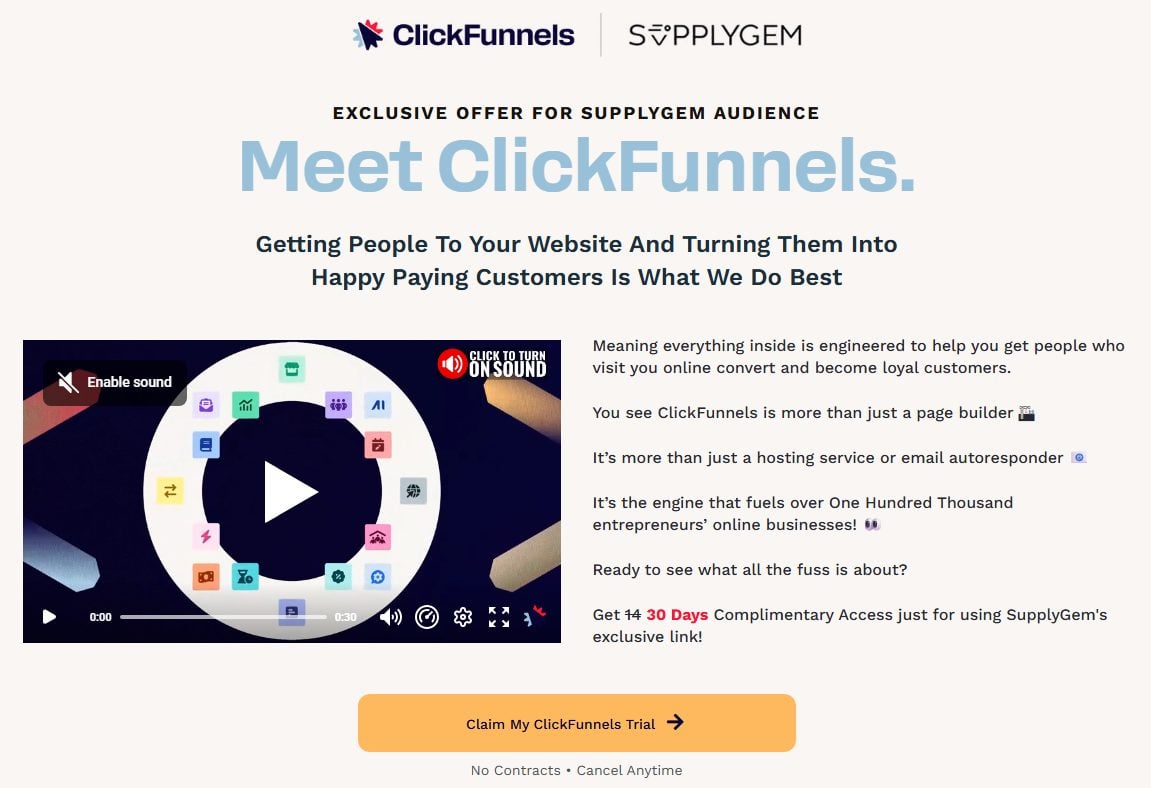
It happens. We sign up for free trials, then don’t get around to using them!
If this has happened to you, there’s nothing stopping you from canceling your existing trial and signing up for a brand new one.
To do this, you have to use a fresh email address. You can’t reuse the one you added for the initial trial.
The link I provided for the extended trial can be used as many times as you like.
Frequently Asked Questions
Can I Choose a ClickFunnels 30-Day Free Trial for Any Plan?
The ClickFunnels 30-day free trial is available only for the Scale plan. However, once you have signed up, you can upgrade or downgrade your plan. Then, the remainder of the trial continues on your newly chosen plan.
Does ClickFunnels Offer Longer Free Trials?
No, ClickFunnels does not offer trials longer than 30 days. However, you can take advantage of the 30-day money-back guarantee, which technically extends the trial to 60 days.